Start CGMBet, click on Update and re-start CGMbet when it has closed.
Click on upcoming, and you should see a list of today's games.
This is the section you want to start in

We are going to add in a couple of extra columns; one for the home team and one for the away team.
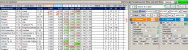
Check the tick box1 and column 1 is displayed same for Tick box 2
These will become the stats we are interested in
Now change the settings as shown below

This is saying we are interested in whether today's teams past games finished U 2.5
Now we set the range we are interested from this area

We want the last 5 games

Now this will give us the results of the Home teams last 5 games at home and the Away teams results for their last 5 last away games.
Assume we want to use the results for each teams last 5 games irrespective of whether they were at home or away.
Then select H+A as below

Now we can press the big Green Refresh button and see the results of our query

So in the first match we are being shown that in 60%, or 3 out of their last 5 games, both teams have been involved in U 2.5 games.
Always a good idea to save the settings you are using so you dont have to set them up manually every time you want to use them.


